
Simple Trick: Find 99% of Hidden Cameras With This Method
The thought of a hidden camera in your hotel room or Airbnb is unsettling, to say the least. As technology has become smaller and more accessible, so has the potential for privacy invasion. Fortunately, there is a simple trick you can use right now, with a tool you already own, to find the vast majority of these covert devices. You don’t need expensive gear or technical expertise; all you need is your smartphone.
This method works by detecting a type of light invisible to the human eye but often visible to your phone’s camera. By learning this technique, you can give yourself peace of mind in just a few minutes, turning your own phone into a powerful counter-surveillance device.
Why Hidden Cameras Are a Growing Concern
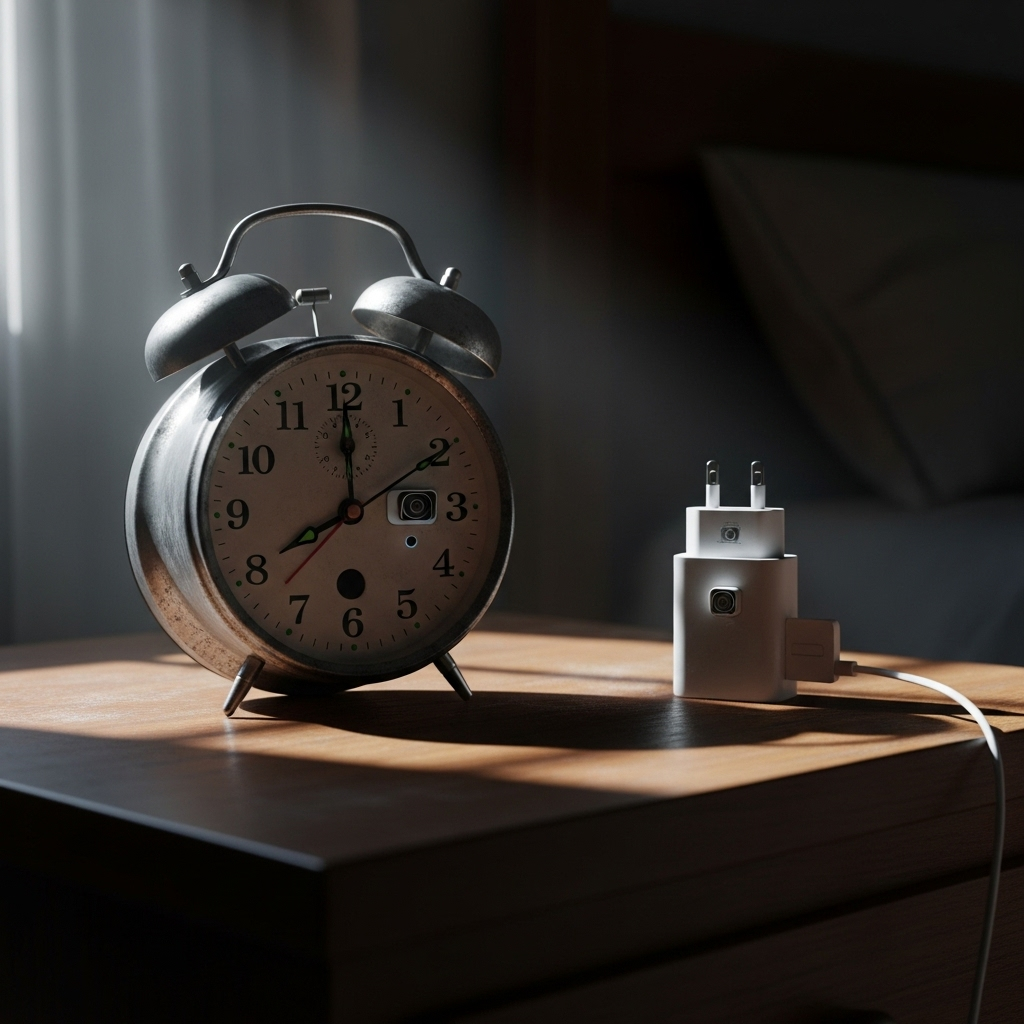
The market for spy cameras has exploded. They are cheaper and smaller than ever, making them easy to purchase and conceal. These cameras can be hidden in everyday objects that you would never suspect, blending seamlessly into a room’s decor. We’ve seen reports of cameras found in:
- Smoke detectors
- Digital alarm clocks
- USB wall chargers
- Picture frames
- Power strips
- Even shampoo bottles
This proliferation means that travelers and renters must be more vigilant than ever. While most hosts and hotels are trustworthy, it only takes one bad actor to create a nightmare scenario. The primary reason many of these cameras are so effective is their ability to record in low-light conditions, which brings us to the core of our detection method.
The Simple Trick Explained: Using Your Smartphone’s Camera
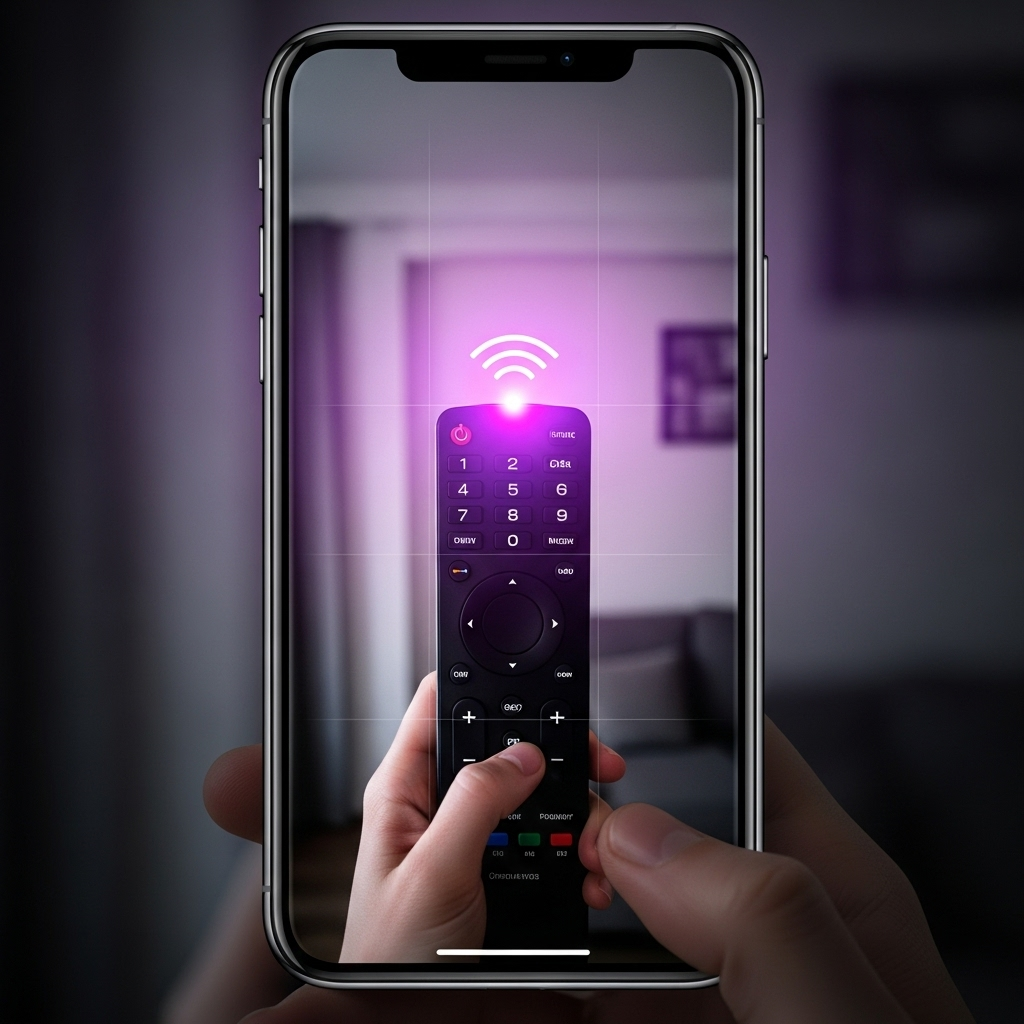
So, what is this simple trick? It revolves around detecting infrared (IR) light. To see in the dark, most hidden cameras are equipped with infrared LEDs. These LEDs flood an area with IR light, which the camera’s sensor can see, allowing it to “see” in pitch-black conditions. Your eyes cannot see this light, but your smartphone’s camera often can.
Here’s the key detail: many modern smartphones have IR filters on their main, rear-facing cameras to prevent infrared light from washing out photos. However, the front-facing (or “selfie”) camera often has a weaker filter or no filter at all, making it much more sensitive to IR light.
How to Test Your Phone Right Now:
- Grab any standard remote control (for your TV, stereo, etc.).
- Open your phone’s camera app.
- Point the remote at the main (rear) camera lens and press a button. You probably won’t see anything.
- Now, switch to the front-facing camera.
- Point the remote at the selfie lens and press a button. You should see a distinct purplish or white light flashing on your screen.
That flashing light is the remote’s infrared signal. This is exactly what you will be looking for when you scan a room for hidden night-vision cameras. They emit a similar, often steady, pinprick of light that your selfie camera can detect.
A Step-by-Step Guide to Finding Cameras
Now that you understand the principle, here is a methodical way to apply this simple trick the next time you check into a new space.
Step 1: Create a Dark Environment
This method works best in the dark. Wait until night or close all the curtains and blinds to make the room as dark as possible. Turn off all the lights. This ensures that the only lights you detect are from electronics, specifically the IR LEDs you’re hunting for.
Step 2: Open Your Front-Facing Camera
As we tested earlier, your selfie camera is your best tool for this job. Open your camera app and switch it to the front-facing view.
Step 3: Scan the Room Systematically
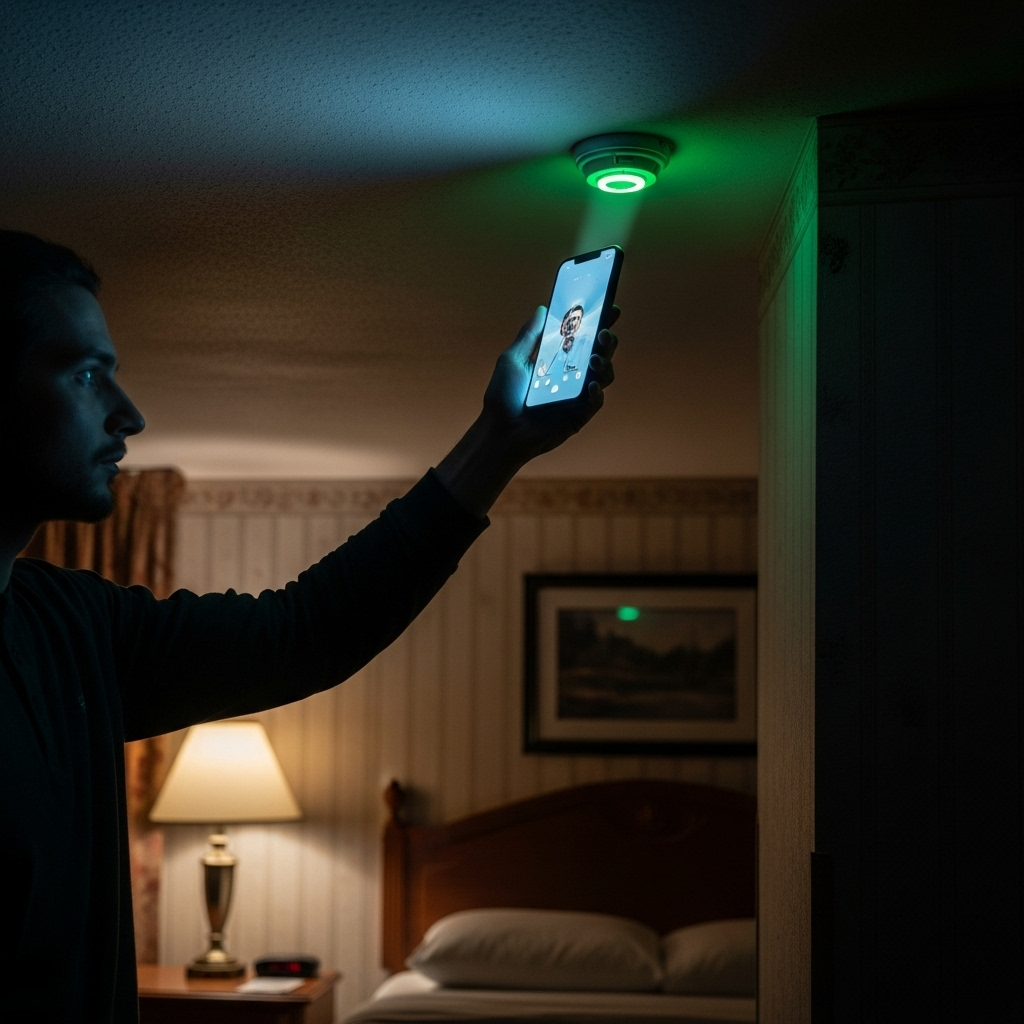
Hold your phone up and slowly pan across the room. Move deliberately, like you are painting the walls with your camera’s view. Pay extra attention to sensitive areas and common hiding spots:
- Bedrooms: Scan smoke detectors, clocks, lamps, and any electronics pointed at the bed.
- Bathrooms: Check shower heads, toiletries, and decor.
- Living Areas: Look at entertainment centers, power outlets, and any decorative objects.
Look for any small, pulsing, or constant pinpricks of purple or white light on your screen. A hidden camera’s IR light will stand out brightly in the otherwise dark room on your phone’s display.
Step 4: Investigate Suspicious Lights
If you see a light, don’t panic. It could be the standby light on a TV or another benign electronic device. Physically inspect the source of the light. If you find a tiny lens or a device that seems out of place or has no logical reason to be emitting light, you may have found a hidden camera.
What Other Methods Can Complement This Simple Trick?
While the smartphone camera trick is incredibly effective for finding cameras with IR night vision, it’s not foolproof. Some cameras don’t use IR, or they may be turned off. For total peace of mind, you can combine this trick with other methods.
1. Physical Inspection
The oldest method is still one of the best. Use your phone’s flashlight and physically look for anything unusual. Search for tiny black dots (lenses) on the surface of objects. Check for strange wires or devices plugged into outlets that don’t seem to have a purpose. For more tips on this, check out our complete guide to digital privacy.
2. Wi-Fi Network Scanning
Most modern spy cameras are Wi-Fi enabled so they can stream their footage. You can use a network scanning app (like Fing, available for iOS and Android) to see a list of all devices connected to the local Wi-Fi network. Look for devices with generic names or names from camera manufacturers (like “IPCamera,” “Arlo,” or “Nest”). This can reveal a camera even if it’s not recording in the dark.
3. Professional RF Detectors
For those who travel frequently or want the highest level of security, a dedicated RF (Radio Frequency) detector can be a worthwhile investment. These devices are designed to detect the radio frequencies that wireless cameras use to transmit data. You can learn more about how these devices work from government resources like the FCC.
What to Do If You Find a Hidden Camera
Discovering a camera is a serious violation of your privacy. It’s important to handle the situation correctly to protect yourself and ensure action is taken.
1. Do Not Disturb It: Resist the urge to unplug or move the device. It is evidence. Leaving it in place can help law enforcement identify who planted it.
2. Document Everything: Take photos and videos of the device from multiple angles with your phone. Record its location and how you found it. This documentation is crucial.
3. Leave the Location: Your safety and privacy are paramount. Pack your belongings and leave the premises immediately. Do not confront the host or owner directly.
4. Contact the Authorities: Once you are in a safe place, call the local police department. Explain the situation and provide them with the evidence you’ve collected. Placing a hidden camera in a private space is illegal in most jurisdictions.
5. Report to the Platform: If you are in an Airbnb, Vrbo, or similar rental, report the incident to the platform’s trust and safety team immediately. They have procedures for these situations and will typically ban the host and assist with your case.
By learning this simple trick with your smartphone, you are empowering yourself against potential privacy invasions. It’s a quick, easy, and free method that can provide invaluable peace of mind, allowing you to relax and feel secure in any new environment.


